ClassMory

Snap, Remember!

Say Goodbye to Endless Photo Searching

Stop searching for photos. Snap and auto-classify. AI summaries help you remember better and track your learning progress effortlessly.

📸 Snap & Classify Instantly

Create custom categories like "Work", "Quick Notes", "Lectures", "Calculus", "Bills" - freely organize your photo structure.
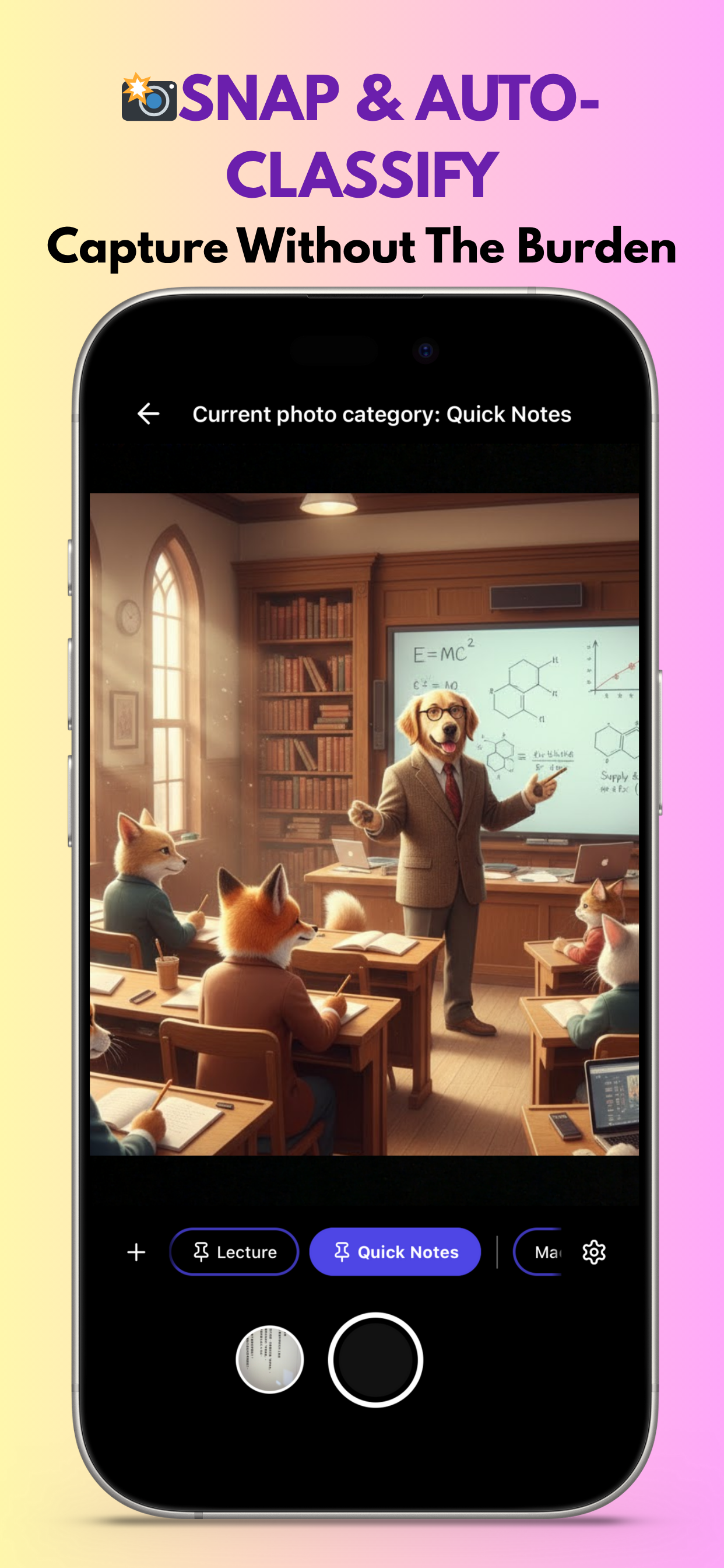
ClassMory Instant Photo Classification Feature - Capture class notes and meeting whiteboards on the fly

✨ AI Auto-Extracts Key Points

No need to re-read lengthy photo content. AI automatically analyzes photos for quick review - saving you time and effort.
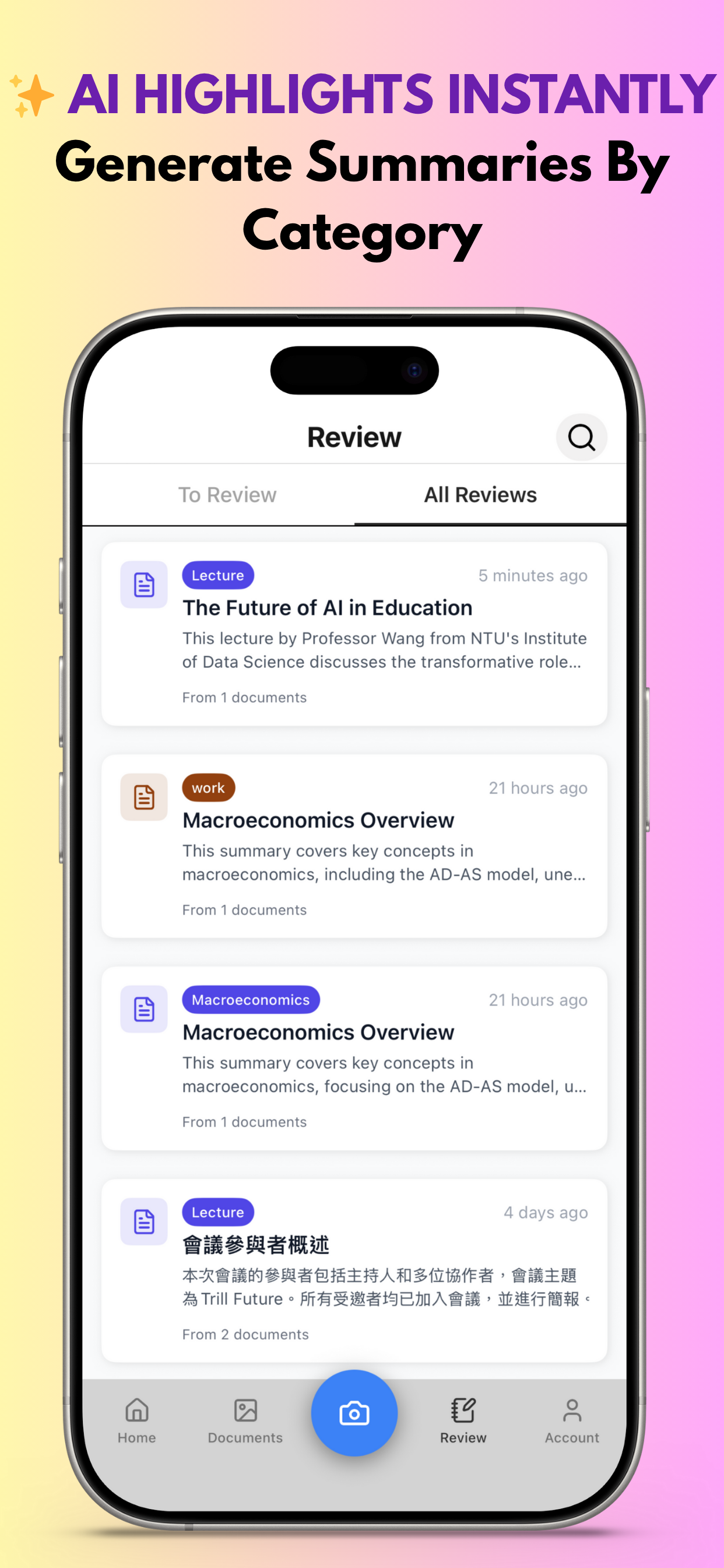
ClassMory AI Auto-Extract Feature - Intelligently generates structured summaries

🖼️ Find Photos in Seconds

Photos auto-sort into dedicated folders after capture. No more scrolling through your camera roll one by one.

ClassMory Quick Search Feature - Smart classification and instant search

📊 Review Progress

Weekly progress, overall completion, 🔥 streak days - your learning journey, crystal clear.
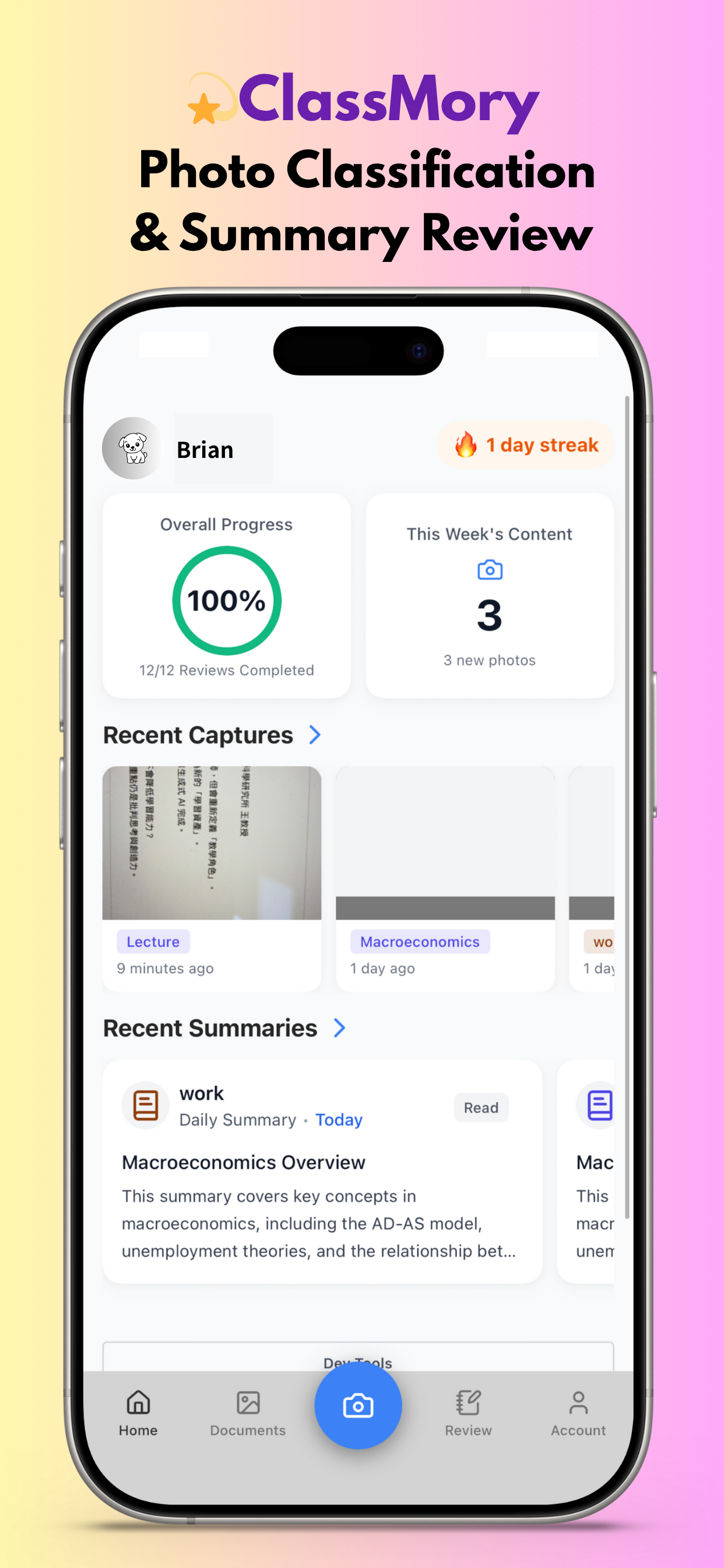
ClassMory Learning Progress Tracking Feature - Overall progress and streak tracking

Perfect for Every Photo Classification Need

📚

Classroom Learning

Snap during class, review stress-free before exams. AI summaries help you quickly grasp key points.

📋

Meeting Records

Capture whiteboards and slides instantly. Auto-archive for easy retrieval of decisions anytime.

🎤

Lectures & Events

Save presentation slides and key points with a snap. AI organizes critical info for effortless post-event review.

💰

Receipts & Expenses

Snap receipts to auto-classify them. No more scrambling at month's end for expense tracking.

🎨

Design Inspiration

Street posters, exhibition pieces, design references - categorize and retrieve inspiration anytime.

📷

Life Records

Recipes, manuals, important documents - snap them and find them instantly when needed.

What Users Say

"Finally, no more digging through my camera roll! Class photos auto-sort, and my exam prep efficiency has skyrocketed."

— Sophia, University Student

“Most seminars don’t provide slides, so I used to rush taking photos. With Classmory’s auto summaries and organized folders, I can turn them into a structured report in minutes—and truly absorb what I’ve learned.”

— Kevin, Executive

"Meeting whiteboards never get lost anymore! They auto-sort into project folders - super convenient."

— Linda, Product Manager

"Street photography inspiration and exhibition shots all organized. Quick reference when designing keeps my creativity flowing."

— Ryan, UI/UX Designer

"Snap and archive receipts - month-end reconciliation is so much easier. AI even extracts amounts for me."

— Emma, Freelancer

Start Organizing Your Photos

Completely Free - Download Now

Download ClassMory

Available on iOS and Android

Share Your Feedback

Your feedback matters - help us build a better ClassMory

Frequently Asked Questions

Yes, ClassMory is currently completely free. All core features (photo classification, AI summaries, review reminders) are unlimited. We may introduce premium features in the future, but basic functionality will remain free forever.
Absolutely secure. ClassMory uses end-to-end encryption. All photos are stored locally on your device and never uploaded to the cloud. Only you can access your data.
ClassMory's AI can recognize photo content in multiple languages, including Chinese, English, Japanese, Korean, and more. You can select the summary output language in settings (currently supports Traditional Chinese and English).
Import from other apps is not currently supported, but it's a planned feature. You can quickly transfer data to ClassMory by taking photos.
AI classification and summary generation require internet connectivity, but photo capture and browsing existing photos work offline. We recommend using AI features over Wi-Fi.
ClassMory currently stores data locally on your device and doesn't support cross-device sync yet. Cloud sync functionality is in development - stay tuned!

Follow Us

Follow Our Community

LINE Official Community

Early access to new features · Direct feedback
Feature wishlist · Experience sharing

LINE Community QR Code
Join LINE Community